Was creating an access pass and the collection size was supposed to be 250.
However when creating the 1 of 1 of x, I was limited to 200 items in the CSV upload.
Was confused as I’m almost positive that I’ve seen collections with more than 200 items.
Was wondering if there was a way to mint the other 50? and increase / reach the desired size etc etc
Hi! Just want to clarify what you’re doing a little bit. Are you looking to batch mint 250 tokens and then list them individually? Or are you looking to create a mint page for collectors to mint from 250 random tokens?
When batch minting tokens - We have a limit of 200 tokens as that’s the block chain limit. You are able to mint multiple batches and it will result in the tokens still being minted on the same contract.
yeah i guess im having trouble with the minting another batch aspect of it,
is there a way to get direct access to support on discord or TG just to figure this out ?
When batch minting 200 is actually the transaction limit - You’ll need to split up the mint into two batch. This doesn’t create 2 different ‘collections’ on chain it will all appear under a single contract.
I keep getting an error when trying to upload the new batch of CSV files, keeps saying somethings missing when its the same file / a replica of the orginal 200 mint
Got it - Taking a look, it looks like you have a video uploaded in the image_url column, I believe that is what the issue is when you’re uploading. image_url will require an image format.
Can you please send the csv file that you used for this Manifold Studio (this one you was able to publish) to studio@manifold.xyz. Sorry for the inconvenience.
huge apologies for the delay here. taking over! will get back to ya soon. going to also add some way better error messaging to the CSV uploader so that at the very worst you can try again and get some much more useful feedback and move forward without us in the future. hopefully it will by end of day give line numbers and columns with specific issues.
ahh i see the miscommunication here. our batches are “fixed” in size once they’ve been created – they cannot be expanded in size by importing a larger CSV and they cannot be larger than 200 tokens.
if you would like to mint tokens 201-250 you’ll want to create another batch using the same source Contract but import a new 50 row CSV to fill out the data for that. does that make sense?
so your pre-existing “Batch #1” contains 200 tokens. tokens 1-200. uses a 200 row CSV to describe its data.
your new “Batch #2” would contain 50 tokens. tokens 201-250. uses a 50 row CVS to describe its data.
in the future we’d like to make it so you can simply expand a batch, have them feel more malleable like folders, but that has not been prioritized just yet. it is definitely on our radar though.
other thing to make sure of in all CSVs uploaded is that you have the “image” or “animation_url” column filled out for every row in addition to the “name”, “description”, and “created_by” columns.
also ensure that the second row of your CSV still has that weird “string string…” row
ive already emailed both of the CSVs a couple times, If you could check those out as they fit the guidelines mentioned here and it still wont let me add the second batch.
Howdy checked out your CSV. The issue is your “image” field must lead a JPG/PNG/GIF/etc but not an mp4. Currently it leads to an mp4 video. Adding some better error messaging right now around this! Looks like we were just silently removing the offending string and then on the last page you’d end up with a bunch of media/assets that have no thumbnail since it was removed/skipped.
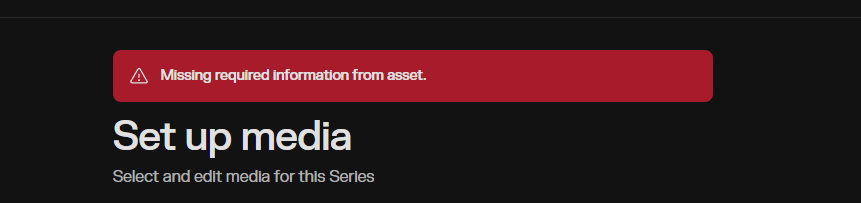


 .. huhh.. were stuck here