I noticed that this was discussed back in 2024…
I am building my Page and adding NFTs. The editor seems to crop some images and not others?
Hopefully this is just me being a newb!
I am adding the NFTs to a 3 column row:
See: https://manifold.xyz/@colinanthonyphotography
- When adding the listing I can opt to add the token or the listing? Which should I add?
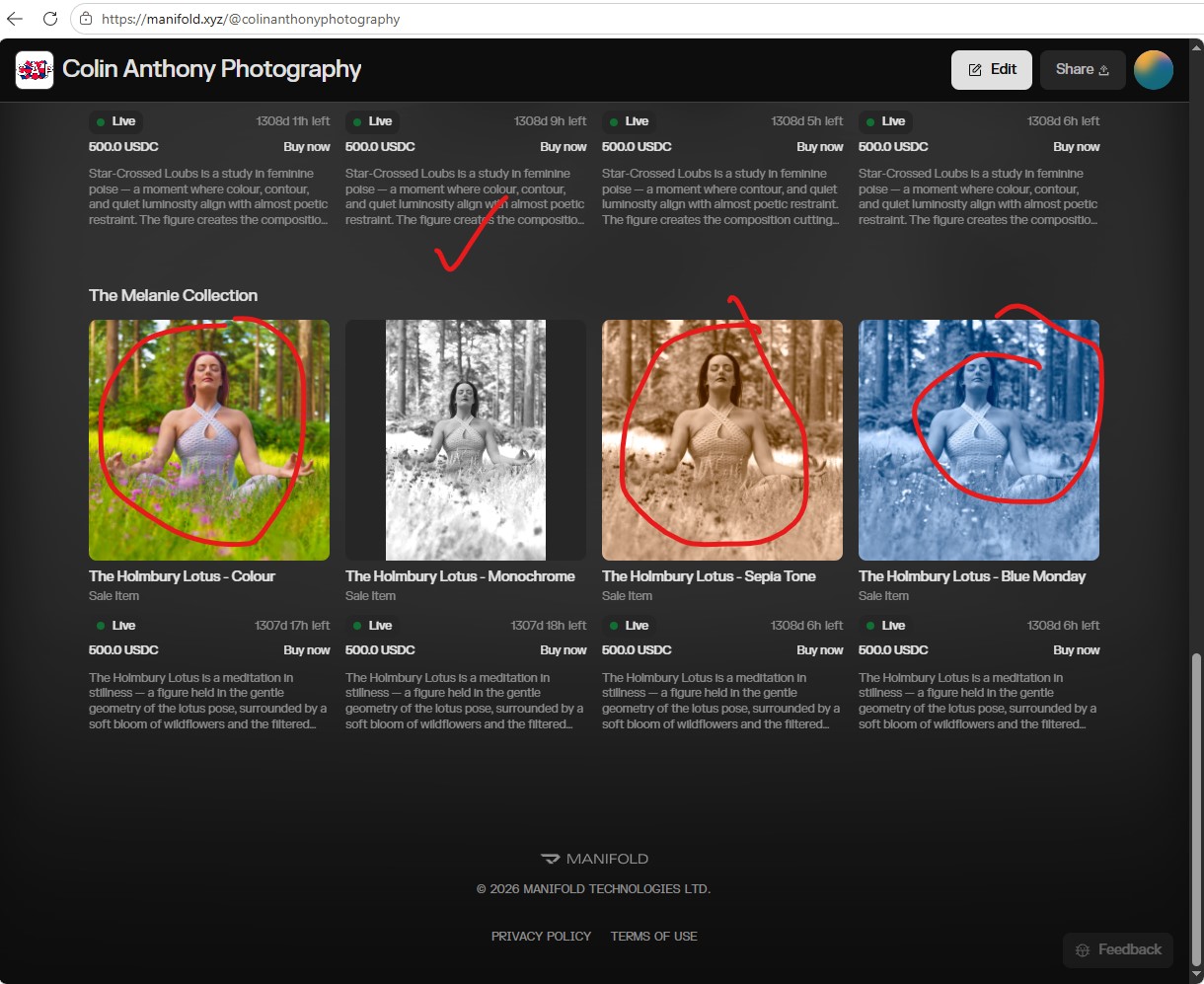
- When I add the token the NFT image is uncropped, but when I add the listing, it is cropped? That seems inconsistent. Is there a setting I’m missing?
It appears that I want the marketplace listing, as it has a buy now button?
I have temporarily added them both so that you can see both examples. This is happened in the studio and outside of the studio on Chrome and Edge
Clearly, my preference is to have the least friction to a transaction button.
Thanks in advance
Colin
Any ideas with this? If I choose to have the buy now button my NFT image is cropped?
Why is there not a simple radio checkbox to choose full image or cropped?
Thanks, Colin
Hi Colin,
Sorry for the confusion, we are pushing out a fix to provide an option for you to choose full image or cropped, we will update you once this feature it out
Thank you for this update. That’ll be great. I look forward to it
Wallet: 0x9E6aaa43Ad6Efb8d0764E4ECAe8b93D92fed37bf
I am still having issues with the studio cropping my NFT Marketplace listing images. I have minted 4 more NFTs and the studio minted one uncropped and the other 3 are cropped? These are in the Melanie Collection.
Can you change these to uncropped please? Do you have a timing on the roll out of the option to not crop the images? Also, will this option only be available during listing or will it be available within the studio so that we can change this on existing listings?
Is there a workaround the force the studio not to crop the image during listing?
I thought I discovered a solution by adding it to a single token display tile instead of a listing as that uses a different CSS class but that didn’t work for the Melanie NFTs in the screen grab…
I have many images I need to mint ASAP…
Thanks for your help - Colin
Hello Colin,
Really sorry for the late reply here. We were able to identify the root cause of the image cropping issue. This issue should be resolved going forward.
We also added the ability to toggle “Crop images to fit” to decide if you want your images to crop or not.
Please let me know if everything looks good on your side.
Thank you.